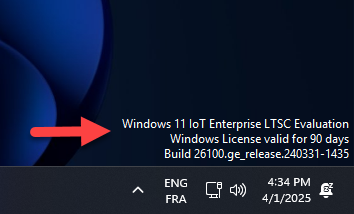
Step-by-Step Guide to Convert Win 11 IoT Enterprise LTSC 2024 Evaluation to a Full Version
Step 1: Purchase a Genuine Win 11 IoT Enterprise LTSC 2024 Key
-
Visit Godeal24 to buy a legitimate Win 11 IoT Enterprise LTSC 2024 key.
-
Download the Win 11 IoT Enterprise LTSC 2024 Evaluation ISO file from the official Website.
-
Complete the installation and log in to your system.
- You need Administrator access to your computer and a stable internet connection
Step 2: Download Required SKUs
If you’re using an evaluation version, you need to download the necessary SKUs (Stock Keeping Units) to enable the conversion process. Download from here.
- After downloading the Iot Enterprise SKU ZIP File, extract it
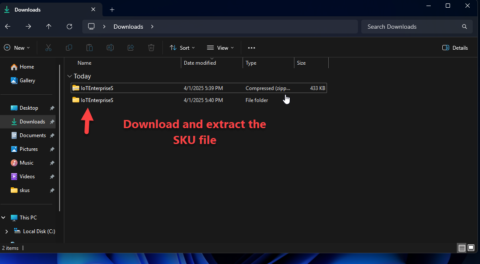
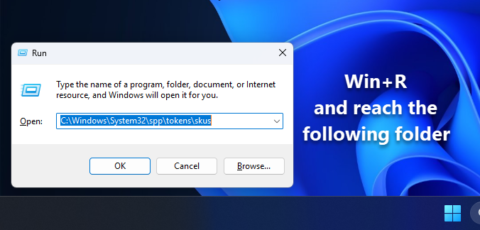
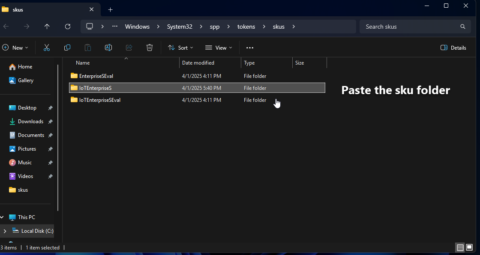
- Now copy the IoTEnterpriseS Folder and paste it to the Skus folder Path- C:\Windows\System32\spp\tokens\skus
Step 3: Run Commands to Reset Licensing
-
Open Command Prompt as Administrator.
- type the following command. cd
C:\Windows\System32\spp\tokens\skus - Run the following commands :
cscript.exe %windir%\system32\slmgr.vbs /rilc
cscript.exe %windir%\system32\slmgr.vbs /upk >nul 2>&1
cscript.exe %windir%\system32\slmgr.vbs /ckms >nul 2>&1
cscript.exe %windir%\system32\slmgr.vbs /cpky >nul 2>&1
cscript.exe %windir%\system32\slmgr.vbs /ipk KBN8V-HFGQ4-MGXVD-347P6-PDQGT
sc config LicenseManager start= auto & net start LicenseManager
sc config wuauserv start= auto & net start wuauserv
This generic key will convert your evaluation version to the full Win 11 IoT Enterprise LTSC 2024 but will not activate it.

Step 4: Activate Win 11 IoT Enterprise LTSC 2024 with a Genuine Key
-
Go to
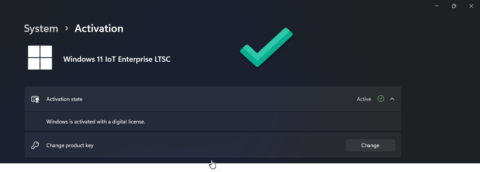
Settings > System > Activation. -
Click on Change Product Key and enter your genuine Win 11 IoT Enterprise LTSC 2024 key purchased from Godeal24.
-
Follow the on-screen instructions to complete the activation.
FAQs About Win 11 IoT Enterprise LTSC 2024
1. “Can I convert an evaluation version to a full license without reinstalling Win OS?”
Yes, you can convert it by following this guide. No reinstallation is required.
2. “What happens if I don’t convert Win 11 IoT Enterprise LTSC Evaluation?”
If you don’t convert, you’ll face:
❌ Feature limitations – Some enterprise functions may be restricted.
❌ Activation reminders – Persistent notifications to activate Win OS.